


Music Player & MP3 Player
4.854.45K Reviews
App Specs
- Version
- 4.2.2.185
- Updated On
- License
- Free
- Downloads
- 100,000,000+
- Developer
- InShot Inc.
- Categories
- Music & Audio
- Platform
- Android, iOS
Screenshots
 Analysis by AppCompare
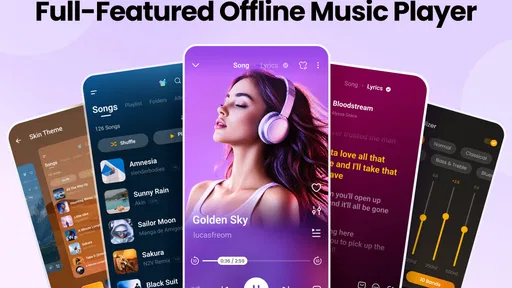
When I choose an offline music player, I start with a simple question: do I want to play and organize audio files already on my device, or do I want a service built around streaming, recommendations, and online access? Music Player & MP3 Player is aimed at the first kind of listener. It’s a free music and audio app from InShot Inc., and its appeal is the practical mix of local playback tools: an equalizer, lyrics, themes, and a tag editor. I’d consider it when I want my own music collection close at hand without making a streaming subscription the centre of the experience.
Start with the way you listen
This is most useful if your phone already holds music files you want to play, sort, or revisit. Think saved albums for a commute, audio kept for a trip with unreliable reception, or a collection of tracks you prefer not to search for every time. An offline player can make those situations feel straightforward: open your library and choose what you want to hear. The trade-off is that it depends on having local music to work with; it isn’t a replacement for a streaming catalogue when you want to discover or access music you haven’t saved.
I’d also decide how much control I want over sound and organization. The equalizer gives listeners a way to adjust playback rather than accept one fixed presentation, while the tag editor can help when a file’s song or artist details are untidy. Those tools matter most if you notice inconsistent volume or messy names and cover information in a personal collection. They matter less if you mainly tap a track in a streaming app and rarely return to the same files.
Where its offline approach earns its place
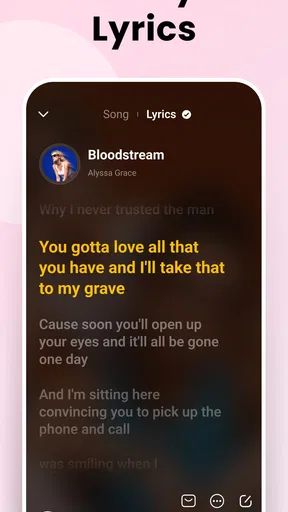
The strongest reason to try it is the combination of familiar listening and hands-on library tools. Lyrics can be useful when I want to follow a song rather than leave the player to search elsewhere, and themes let me make the interface feel more comfortable for regular use. None of those features changes what is in my collection, but together they can make a local library easier to enjoy day after day.
There is a useful maintenance workflow here, too. If an album appears with inconsistent track names, I can use a tag editor to tidy the file information, then check whether the library is easier to browse the next time I look for it. That is a small task, but it can save repeated hunting through a poorly labelled collection. I’d make changes to a few files first and check the result before editing a large batch, especially if I care about keeping my existing organization intact.
The equalizer is best treated as a personal adjustment, not a guarantee that every track will sound better. I’d make a modest change while listening to a familiar song, then compare it with the original presentation before leaving the setting in place. That gives me a reference point and helps avoid overdoing a setting that sounds exciting for one track but tiring across an album. If I switch between headphones and a car stereo, I’d also revisit the adjustment rather than assume one setup suits both.
What to expect from the wider category
Compared with a streaming-first music app, this player makes more sense when the music you want is already on your device. Streaming services are usually a better fit for broad catalogues, discovery, and account-based listening across devices. A local player is a more direct choice for saved files and personal collections, but it won’t magically provide tracks that aren’t there. I’d keep both kinds of app if I move between curated online listening and an offline library, rather than expecting one to do both jobs equally well.
Worth Reading Before You Choose

Baby Panda World Brings Quick Play to Modern Phones, but Its Game Library Feels Busy

ESPN’s Live Game View Makes Following Close Games Easier

QuizzLand Review: A Good Fit for Short Trivia Breaks, Not Every Player

Basketball Stars: Multiplayer Is Fast, but Can It Recover When Matches Go Wrong?

WEBTOON Turns Phone Updates Into a Better Reading Routine

Link to Windows Runs on Shared Habits, Not Social Feeds
There are also other local audio players to consider. Some listeners may prefer a very minimal player that only needs to start a track, while others will want more detailed library controls or a different interface. The right alternative depends on whether you value simplicity, customization, or collection management most. Music Player & MP3 Player’s appeal is that it brings several practical extras together; if I never use lyrics, themes, equalizer adjustments, or tag editing, a simpler option may be enough.
Everyday fit, limits, and switching
A realistic use case is getting ready for a commute: I choose music already stored on my phone, make a queue for the trip, and use the equalizer to suit the headphones I’m wearing. On another day, I might put on a familiar album while winding down and use a sleep timer if I want playback to stop without having to remember to return to the phone. That kind of routine is where a local player feels dependable and uncomplicated, provided the tracks are available offline in the first place.
Before switching from another player, I’d check how my existing files are organized and whether I rely on playlists, tags, or other library details that I want to preserve. Changing the app used for playback does not necessarily mean moving the music itself, but the new player may present a familiar collection differently. A sensible first step is to try a few albums and playlists, check the tags and artwork, and only then make it the default part of your routine. That small trial can reveal whether the way it scans and displays your library suits you.
Its free price makes that trial easy to consider, although in-app purchases are available, listed at $0.99 to $6.99 per item. I would treat paid extras as optional rather than assume I need them to get value from the basic idea of a local music player. The app is rated for Everyone, and its current version is 4.1.1.182, with Android 6.0 or later required. Those details make it worth checking device compatibility before installing, particularly if you use an older phone.
Getting Started with Music Player & MP3 Player
Let's dive right in. Downloading and setting up the Music Player & MP3 Player was a breeze. I was up and running in no time. Once you fire it up, the app greets you with a clean and intuitive interface. It's like the app designers had one goal in mind: make your music experience as seamless as possible.
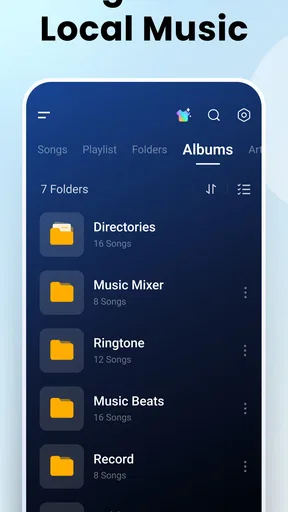
The app automatically scans your device and organizes your music library with a neat and tidy layout. Whether your collection is a few albums or a mountain of playlists, it handles them with ease. The navigation is simple, and everything feels just a tap away.
Features That Hit the Right Notes
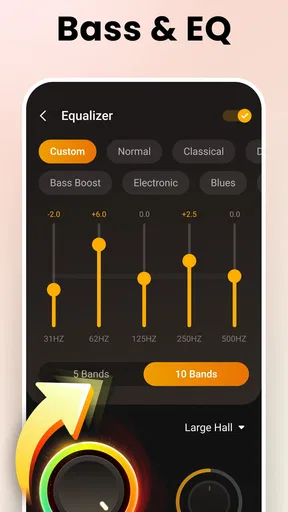
Now, let's talk about what really makes this app stand out. First off, the sound quality is top-notch. You can tweak the equalizer to your heart's content, bringing out the best in your favorite tunes. It’s like having a personal DJ in your pocket.
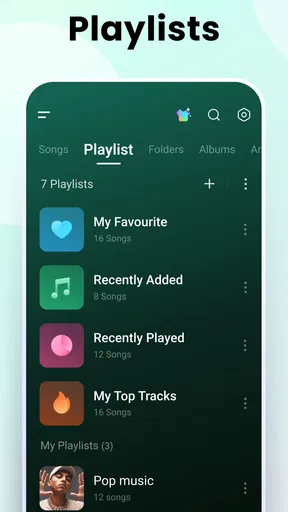
There’s also a nifty feature where you can create custom playlists. Whether it’s for a workout, a chill day, or anything in between, crafting the perfect mix is incredibly satisfying. And if you're feeling lazy, the app can even generate playlists based on your listening habits.
One of my favorite features has to be the sleep timer. If you're someone who loves falling asleep to music, this is a game-changer. You can set it to turn off after a certain time, so no more waking up to a drained battery.
User Experience: Smooth Sailing
As far as user experience goes, this app doesn’t disappoint. It’s fast, responsive, and doesn’t glitch or lag, which is a big win in my book. The app is lightweight, so it won't hog your phone’s precious resources.
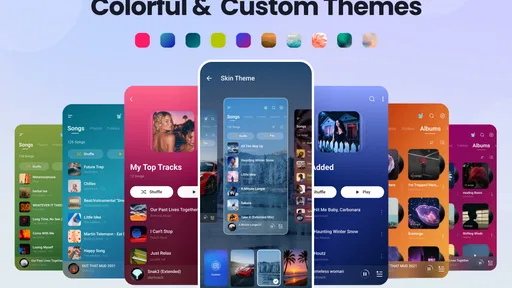
I also love the customization options. You can change themes and layouts to suit your mood or style. There's just something about making your music player truly yours that feels satisfying.
Extra Perks and the Little Things
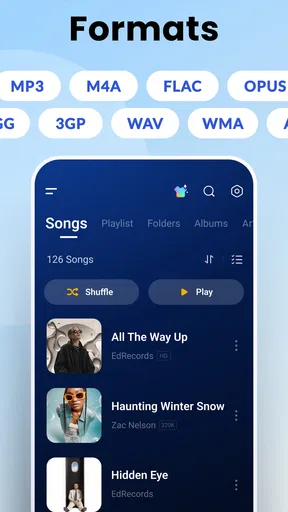
Beyond the basics, the app is packed with little extras that enhance your listening experience. Lyrics display? Check. Album art? Check. It even supports various audio formats, so you're covered no matter what files you throw at it.
And let's not forget about the widget support. Having quick access to your music right from your home screen is incredibly convenient. It’s these small touches that make the app feel polished and complete.
If you're a social butterfly, you'll appreciate the sharing options. Quickly share what you're listening to with friends or post it on social media. Music is meant to be shared, after all!
The Final Note
Wrapping things up, the Music Player & MP3 Player app is more than just a simple music player. It’s a powerhouse of features wrapped in a sleek, user-friendly design. Whether you’re a casual listener or a music aficionado, this app is bound to enhance your music experience.
So, if you're on the hunt for a music player that checks all the boxes, give this one a shot. It’s like having a personal concert in your pocket, anytime you want. Happy listening!
Pros
- Intuitive user interface for easy navigation.
- Supports a wide range of audio formats.
- Customizable themes and equalizer settings.
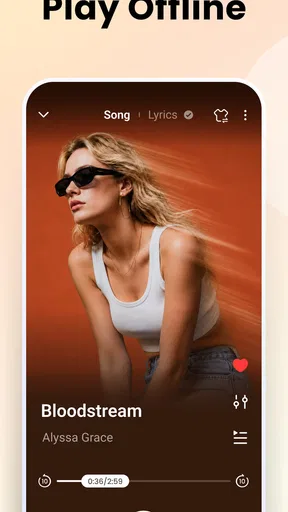
- Offline playback for saved songs.
- Minimal battery usage during playback.
Cons
- Contains ads that can be intrusive.
- Limited free version features.
- No cloud storage integration option.
- Playlist creation can be cumbersome.
- Occasional bugs in the widget feature.
FAQs for Music Player & MP3 Player
Is Music Player & MP3 Player compatible with all audio formats?
Yes, Music Player & MP3 Player supports a wide range of audio formats, including MP3, WAV, AAC, and FLAC. This compatibility ensures users can enjoy their music library without needing to convert files. However, it's always a good idea to check the app's latest updates for any new format support.
Does the app require an internet connection to play music?
Music Player & MP3 Player primarily functions as an offline player, allowing you to listen to music stored on your device without needing an internet connection. However, certain features like streaming or downloading new content may require connectivity, depending on app updates or additional services.
Can I create and manage playlists within Music Player & MP3 Player?
Absolutely! The app allows you to create, edit, and manage multiple playlists with ease. You can organize your music based on genre, mood, or any other preference. Drag-and-drop functionality makes rearranging songs simple, providing a customized listening experience.
Are there customizable themes and equalizer settings available?
Yes, Music Player & MP3 Player offers several customizable themes, allowing you to personalize the app's appearance. Additionally, an integrated equalizer provides multiple presets and manual adjustments, enabling you to enhance sound quality according to your listening preferences.
Is there a premium version of Music Player & MP3 Player, and what are the benefits?
While the basic version of Music Player & MP3 Player is free and feature-rich, a premium version is available. Upgrading removes ads and may offer additional features such as advanced audio effects, enhanced support, and access to exclusive themes, providing a more seamless experience.


